
為 iPhone 加上密碼鎖定功能

| March 27, 2012

手機、錢包、鑰匙。這三項東西,是每天小編我出門前就會不斷口覆的名詞,避免自己出門,已經離開家門很遠後,才發現任何一項東西沒帶到,相信這對每個人來說,絕對會非常困擾。

正也是因為這三項東西每天都跟我們在一起,除了鑰匙本身不具存放功能外,其他像是手機及錢包,可能都會放著我們身上非常重要的私人資訊。所以 iPhone 上鎖,避免「無關人士」動不動就拿你的手機起來看簡訊、查照片,也是很實用的一個小技巧喔!

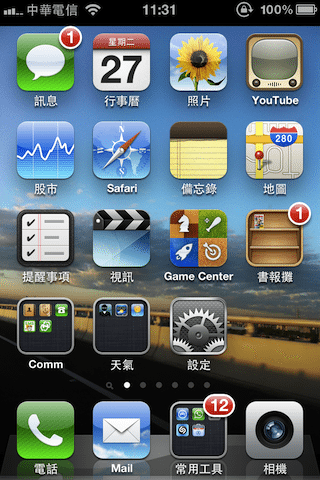
首先,請你在 iPhone 的主畫面上點選「設定」
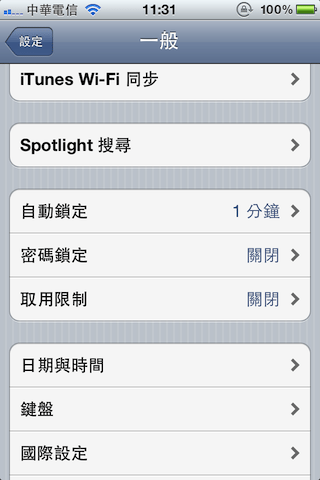
接著找到一般,並選擇密碼鎖定。
1 2 下一頁 ⇨


.

Comments

comments

Tags: ,

Category: Computer, iPhone, 手機Cellular Phone, 電Gadget

About the Author (Author Profile)

Suspected Malware | Cloudflare

Warning

Suspected Malware

This website has been reported for potentially distributing malware.

Malware is malicious software created to intentionally disrupt the normal operations of a device.

Learn More

error: Content is protected !!